


Basalt IDE
Written directly against AppKit in Swift with no Electron and no embedded browser. Basalt combines an Xcode-style workspace layout with built-in LSP, lldb-dap debugging, and Open VSX themes without executing extension JavaScript.
Native macOS Workspace
AppKit text layout, incremental syntax highlighting, code folding, and Open VSX theme support without running extension JavaScript.
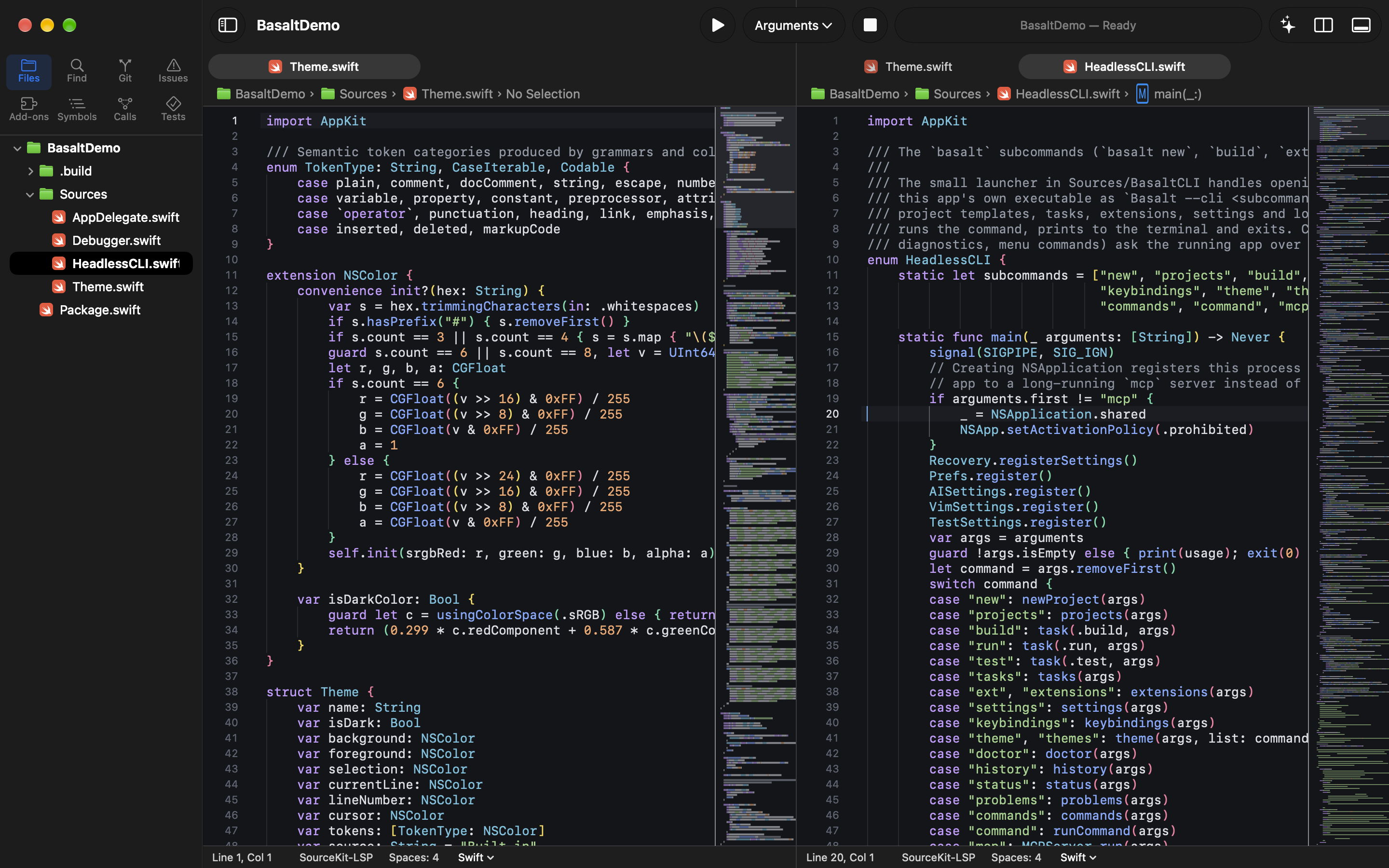
Split Workspace — Side-by-side Swift editors with SourceKit-LSP, custom bracket colours, and minimap.
Performance
Measured on Apple Silicon opening and editing a 160,000-line, 3.8 MB Python source file with syntax highlighting enabled.
Capabilities
Editing, navigation, language intelligence, debugging, and terminal execution ship natively inside the application binary.
Editor & Navigation
Syntax highlighting across 50+ languages, multi-cursor editing, split editors, code folding, and minimap. Jump anywhere with Open Quickly (⇧⌘O), inspect call and type hierarchies, or use Peek Definition and References inline.
Language Servers & Debugger
First-class Language Server Protocol client supporting sourcekit-lsp, clangd, rust-analyzer, gopls, typescript-language-server, and pyright. Integrated lldb-dap debugging with conditional breakpoints, logpoints, watch expressions, and a typed Memory view.
Xcode Projects & Real Terminal
Native support for .xcodeproj and .xcworkspace projects alongside a built-in Test Navigator. Includes a real PTY xterm terminal with 256/true color and alternate screen buffer support.
Open VSX & Vim Mode
Browse and apply Open VSX themes, snippets, and TextMate grammars natively—only static definitions are parsed, never third-party extension JavaScript. Includes opt-in Vim modal editing.
Command Line & MCP
Control workspaces from the terminal or expose project diagnostics and build tasks to external tools over the Model Context Protocol.
basalt .
Open the current directory as a workspace in Basalt IDE.
basalt src/main.rs:42:7
Open a file directly at line 42, column 7.
basalt --diff a.txt b.txt
Launch a side-by-side comparison between two files.
basalt problems --errors
Print current workspace compiler and LSP errors to stdout.
basalt run
Execute the active project run target from the command line.
basalt mcp
Start the built-in MCP server for external tool integration.
macOS 14 and later · Headless CLI & MCP included in Basalt Pro · Pricing & Licensing
Basalt & Basalt Pro
Basalt (Free) is a complete daily driver for every macOS developer. Basalt Pro adds visual debugging, native Xcode integration, Test Navigator, Local History, and automation.
Basalt (Free)
$0 · Personal & CommercialEverything needed for everyday code editing, navigation, and Git workflows on macOS.
- Native AppKit editor with 50+ built-in languages and <1 ms keystroke latency
- Built-in LSP client (sourcekit-lsp, clangd, rust-analyzer, gopls, pyright, scoria lsp)
- Split editors, multi-cursor, code folding, minimap, and Vim modal editing
- Static Open VSX themes, snippets, and TextMate grammars (zero extension JS)
- Built-in Git diff, staging, commit, and conflict resolution
- Integrated PTY xterm terminal, build/run tasks, and crash recovery
Basalt Pro
$99 / year · $179 perpetualFull debugging, Xcode project support, deep code analysis, and agent automation. Teams: $149 / seat / year.
- Everything in Basalt (Free)
- Visual lldb-dap debugger with conditional breakpoints, logpoints, and Memory view
- Native .xcodeproj & .xcworkspace builds with simctl simulator discovery
- Built-in Test Navigator with gutter test runners and Swift line coverage
- Call & Type Hierarchies, Peek Definition, and Peek References
- Local File History snapshots across every save with visual diff restore
- Headless basalt CLI automation & basalt mcp Model Context Protocol server
- Optional AI Assistant (Claude Code, Codex, or Keychain API key)